

How To Lean Into Corners Correctly
Moderator: Moderators
How To Lean Into Corners Correctly
I've been riding for quite a few decades but I never stop learning better riding techniques. Picked one up from this fellow. Here is a photo for you all to learn from. Practice, practice, practice every chance you get!
Last edited by PhilDinAZ on Tue Jul 22, 2008 8:11 am, edited 11 times in total.
04 Roadster
Re: How To Lean Into Corners Correctly
Do you play MSBL?
-
CycleRob

- Honorary Lifer
- Posts: 2857
- Joined: Mon Mar 21, 2005 12:29 am
- Location: Enjoying retirement in Gainesville GA. USA
- Contact:
Re: How To Lean Into Corners Correctly
You post it like this:

EDIT: Link to image is no longer active
EDIT: Link to image is no longer active
Last edited by CycleRob on Mon Jul 21, 2008 2:02 pm, edited 1 time in total.
`09 F800ST
Member since Sept 10, 2001
"Talent, On Loan, From God" --Rush Limbaugh--
Member since Sept 10, 2001
"Talent, On Loan, From God" --Rush Limbaugh--
-
riceburner

- Basic User
- Posts: 3809
- Joined: Fri Mar 18, 2005 7:54 am
- Location: Hiding in your blind spot....
- Contact:
Re: How To Lean Into Corners Correctly
I'm still none the wiser....
-
CycleRob
- Honorary Lifer
- Posts: 2857
- Joined: Mon Mar 21, 2005 12:29 am
- Location: Enjoying retirement in Gainesville GA. USA
- Contact:
Re: How To Lean Into Corners Correctly
To post (using Windows) a link or an image on a website:
1--Right click on the image.
2--Select "Properties" from that pop-up window.
3--You may have to touch-n-drag the pop-up window's right edge to enlarge it enough for full display of the URL.
4-- Left click and hold it down at either end of the link.
5--Drag the cursor to the other end of the "http:\\www.XXXXX..." URL to select and highlight it.
6--Release left mouse button then right click the highlighted link.
7--Select "Copy" from that pop-up window.
8--Return to your post input window. Touch the text area where input needs to go
9--In the buttons above, touch either "Img" or "URL". They will appear in your post where you want the IMG LINK or URL.
10--Press the "Ctrl+V" keys together to paste the link.
11--Select the "Preview" button below the text entry area to either see your image or test your link. Use the "Back" button or "BackSpace" key to return you to your post entry area.
12--Smile at learning another important new skill.
.
1--Right click on the image.
2--Select "Properties" from that pop-up window.
3--You may have to touch-n-drag the pop-up window's right edge to enlarge it enough for full display of the URL.
4-- Left click and hold it down at either end of the link.
5--Drag the cursor to the other end of the "http:\\www.XXXXX..." URL to select and highlight it.
6--Release left mouse button then right click the highlighted link.
7--Select "Copy" from that pop-up window.
8--Return to your post input window. Touch the text area where input needs to go
9--In the buttons above, touch either "Img" or "URL". They will appear in your post where you want the IMG LINK or URL.
10--Press the "Ctrl+V" keys together to paste the link.
11--Select the "Preview" button below the text entry area to either see your image or test your link. Use the "Back" button or "BackSpace" key to return you to your post entry area.
12--Smile at learning another important new skill.
.
`09 F800ST
Member since Sept 10, 2001
"Talent, On Loan, From God" --Rush Limbaugh--
Member since Sept 10, 2001
"Talent, On Loan, From God" --Rush Limbaugh--
-
MikeCam
- Centurion Moderator!
- Posts: 2216
- Joined: Sat Mar 19, 2005 8:05 pm
- Location: Conway River, Virginia
Re: How To Lean Into Corners Correctly
This thread is useless without pics.
The Older I Get, The Less I Know.
Re: How To Lean Into Corners Correctly
I have linked and relinked and relinked probably 4 times now. It shows when I submit but for some yet unknown reason when I come back a few hours later the photo is gone and in it's place it just says Image.
I have built websites, had my own Apple IT business, was a professional photographer and like to think somewhat of a competent geek but this has me baffled. It might be something with Google's Picasa which I use to host all my online photos. I apologize to all who visit this link and see nothing.
I have built websites, had my own Apple IT business, was a professional photographer and like to think somewhat of a competent geek but this has me baffled. It might be something with Google's Picasa which I use to host all my online photos. I apologize to all who visit this link and see nothing.
04 Roadster
-
CycleRob
- Honorary Lifer
- Posts: 2857
- Joined: Mon Mar 21, 2005 12:29 am
- Location: Enjoying retirement in Gainesville GA. USA
- Contact:
Re: How To Lean Into Corners Correctly
It's the place where the pic is stored. They don't like it when people "hot link" to their site just to see a pic without actually going there. 
I use photobucket.com because it has few restrictions, allows large files and your ability to have many albums with many subfolders. All free without any hassle.
I use photobucket.com because it has few restrictions, allows large files and your ability to have many albums with many subfolders. All free without any hassle.
`09 F800ST
Member since Sept 10, 2001
"Talent, On Loan, From God" --Rush Limbaugh--
Member since Sept 10, 2001
"Talent, On Loan, From God" --Rush Limbaugh--

Re: How To Lean Into Corners Correctly
smugmug is good too.
Jeff (lifer #289)
'17 F800GSA
'04 R1150R
There ain't no education in the second kick of a mule!
'17 F800GSA
'04 R1150R
There ain't no education in the second kick of a mule!
-
jfslater98

- Quadruple Lifer
- Posts: 490
- Joined: Thu Sep 15, 2005 11:20 am
- Location: Northern NJ
Re: How To Lean Into Corners Correctly
Yep, that's it. I have been using it too, here's the trick: do not use the handy "link to this photo" feature on the right.PhilDinAZ wrote:It might be something with Google's Picasa..
Instead, right click on the photo as you are looking at it in the Picasa web folder.
In Firefox, I use "Copy Image Location"
Then paste the result inside the IMG tags.
This should work

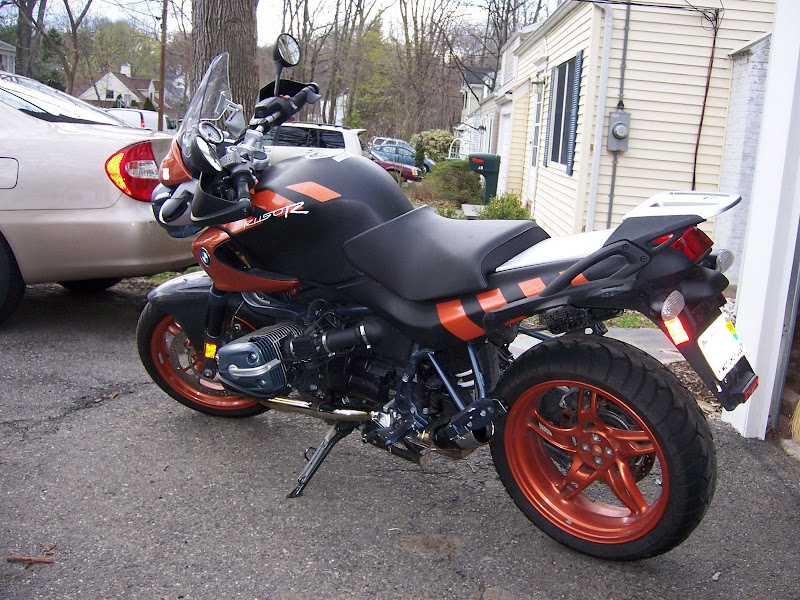
This link gives me a "It was not possible to determine the dimensions of the image." error message when I try to embed in IMG tags
http://picasaweb.google.com/slater.f/20 ... 6331331602
And the links are different. I just edited the previous link to make the image a bit bigger here in the forum. Sorry, hope you don't find it obnoxious.
EDIT: making smaller pic and attempting link
 .
.Note: have to use picasa's "link to this photo" for URL, and actual JPG location (right click at web album) for IMG part
Last edited by jfslater98 on Sun Dec 07, 2008 9:26 pm, edited 2 times in total.
Gone but not forgotten: 2004 Orange Rockster
Re: How To Lean Into Corners Correctly
I understand what you're all saying but Picasa doesn't seem to have those restrictions as each Album and Photo have distinctive "Links to this photo." One for "Paste link in email or IM" and another "HTML to embed in website" and I have tried both plus the direct link from selecting just the photo itself.
04 Roadster
-
riceburner
- Basic User
- Posts: 3809
- Joined: Fri Mar 18, 2005 7:54 am
- Location: Hiding in your blind spot....
- Contact:
Re: How To Lean Into Corners Correctly
Well, it's that shot of a guy in black helmet and full race leathers, putting a knee down off that panda-painted playground ride with the big spring...
Hm. Interesting. When I checked the "properties" of JF Slater's photo above -- which is also linked from Picasa -- your shot returned. I'm using MSIE.
I can see it since I visited the site directly, by cut'n'pasting (from "properties,") the pic address. It's loading from my internet cache now and probably -- when that piece of cache expires -- won't last. Yup it's gone now. Complain to Picasa, try Photobucket.PhilDinAZ wrote:I have linked and relinked and relinked probably 4 times now. It shows when I submit but for some yet unknown reason when I come back a few hours later the photo is gone and in it's place it just says Image.
I have built websites, had my own Apple IT business, was a professional photographer and like to think somewhat of a competent geek but this has me baffled. It might be something with Google's Picasa which I use to host all my online photos. I apologize to all who visit this link and see nothing.
Hm. Interesting. When I checked the "properties" of JF Slater's photo above -- which is also linked from Picasa -- your shot returned. I'm using MSIE.
#388 '02 R1150R Black: The darkest color.
Re: How To Lean Into Corners Correctly
OK, I finally figured out the problem. The link looks like this straight from Picasa:
"http://picasaweb.google.com/PhilDinAZ/V ... 8444929650"
or
"<a href="http://picasaweb.google.com/PhilDinAZ/V ... 9650"><img src="http://lh3.ggpht.com/PhilDinAZ/SIQJnTQV ... o_Ride.jpg" /></a>"
But our website here needs to have a size tag such as this "?imgmax=640" at the end of the text string.
"http://picasaweb.google.com/PhilDinAZ/V ... 8444929650"
or
"<a href="http://picasaweb.google.com/PhilDinAZ/V ... 9650"><img src="http://lh3.ggpht.com/PhilDinAZ/SIQJnTQV ... o_Ride.jpg" /></a>"

But our website here needs to have a size tag such as this "?imgmax=640" at the end of the text string.
04 Roadster
Re: How To Lean Into Corners Correctly
Looking Good!PhilDinAZ wrote:I've been riding for quite a few decades but I never stop learning better riding techniques. Picked one up from this fellow. Here is a photo for you all to learn from. Practice, practice, practice every chance you get!

RIDE TOO PRETEND, PRETEND TOO RIDE. 
89 Oldwing, 07 WR250R, 14 KX250F
89 Oldwing, 07 WR250R, 14 KX250F
-
famousperson
- Sextuple Lifer
- Posts: 523
- Joined: Thu May 17, 2007 1:35 pm
- Location: Pittsburgh, PA
Re: How To Lean Into Corners Correctly
What are you laughing at? That's how I learned!
'07 R1200R
Life Member #599
NAUI Inst. #1434 (since 1969)
Life Member #599
NAUI Inst. #1434 (since 1969)
Re: How To Lean Into Corners Correctly
Now that is something to laugh about!famousperson wrote:What are you laughing at? That's how I learned!

RIDE TOO PRETEND, PRETEND TOO RIDE.
89 Oldwing, 07 WR250R, 14 KX250F
89 Oldwing, 07 WR250R, 14 KX250F
Re: How To Lean Into Corners Correctly
That's OK, I expect that from someone who's probably a Steelers fan.famousperson wrote:What are you laughing at? That's how I learned!

Go Browns!!!
04 Roadster
Re: How To Lean Into Corners Correctly
Actually the head needs to be more in line with the torso and you should be looking through the corner... Shesh... amateurs... 

amateurs... Ves (AKA Boy,Sledge, and Cheap Bastid)

Re: How To Lean Into Corners Correctly
That is how you can tell it is a fake.Ves wrote:Actually the head needs to be more in line with the torso and you should be looking through the corner... Shesh...
RIDE TOO PRETEND, PRETEND TOO RIDE.
89 Oldwing, 07 WR250R, 14 KX250F
89 Oldwing, 07 WR250R, 14 KX250F